
Set up the AVS Vault environment
Before securing your digital legacy, you must establish a secure, isolated environment for AVS Vaults 2026. This setup ensures that your sensitive data remains protected from external threats during the initial configuration phase. Follow these steps to configure the foundational infrastructure.
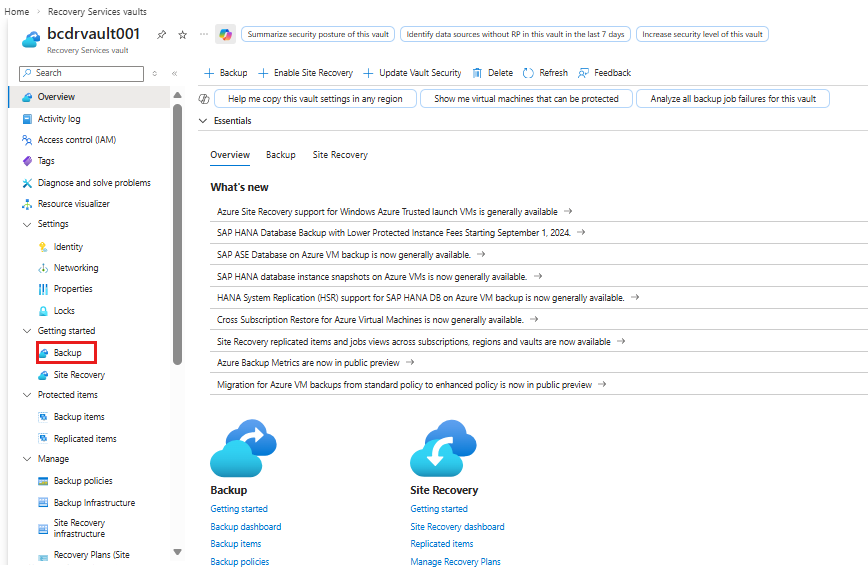
Confirm that your hardware meets the minimum requirements for AVS Vaults 2026. Ensure your operating system is up to date and that you have sufficient storage space for the vault database. Check network connectivity to ensure stable access to the vault service.

Download the latest AVS Vaults 2026 installer from the official repository. Run the installation script with administrative privileges. Follow the on-screen prompts to select the installation directory and configure the initial service parameters. Verify the installation by checking the service status.
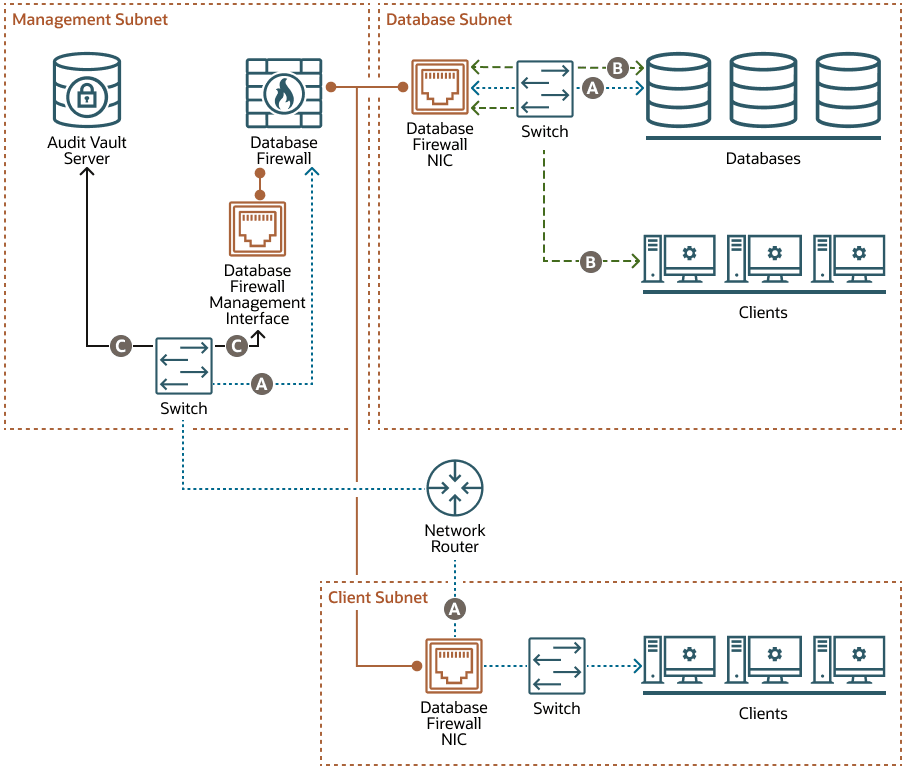
Set up firewall rules to restrict access to the AVS Vaults 2026 service. Allow traffic only from trusted IP addresses. Enable TLS encryption for all data in transit. Configure the vault to listen on a secure port and disable unused network protocols.
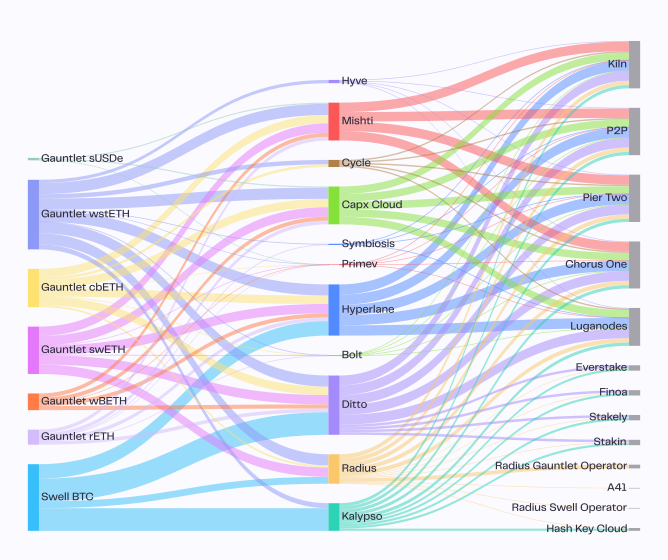
Run the initialization command to create the vault database schema. Set up the initial administrator account with a strong, unique password. Configure backup schedules to ensure data redundancy. Verify the database connection by performing a test write operation.
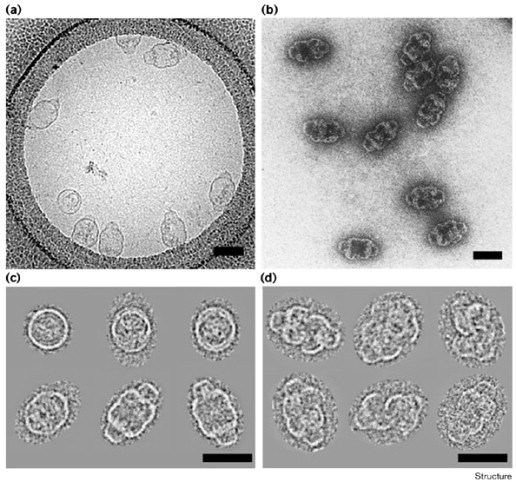
Perform a comprehensive validation of the AVS Vaults 2026 environment. Check all security logs for errors. Test access controls by attempting to log in with different user roles. Ensure that the vault is ready to receive and store digital legacy data securely.
Configure auto-rotation policies
AVS Vaults 2026 rely on automated exposure management to maintain security without manual intervention. Configuring auto-rotation policies ensures that your digital legacy assets are distributed across new validators or keys at predetermined intervals, reducing the risk of long-term compromise from a single point of failure.
1. Define rotation intervals
Start by establishing the frequency of rotation based on your risk tolerance. Shorter intervals provide higher security but increase operational overhead, while longer intervals reduce costs but leave assets exposed for longer periods. For most institutional setups, a 30-to-90-day cycle balances security and efficiency.
2. Set threshold parameters
Configure the minimum stake or balance required to trigger a rotation event. This prevents unnecessary transactions during low-activity periods and ensures that the vault maintains sufficient liquidity. Define clear upper limits to avoid over-diversification, which can dilute rewards and complicate monitoring.
3. Implement key generation protocols
Integrate a secure key generation scheme that creates new cryptographic keys for each rotation cycle. Use hardware security modules (HSMs) or multi-party computation (MPC) to ensure that private keys are never exposed in plaintext. Automate the distribution of new public keys to the network while securely archiving old keys for audit purposes.
4. Validate and monitor
After configuring the policy, run a simulation to verify that the rotation logic executes correctly. Monitor the vault’s performance metrics to ensure that the auto-rotation does not disrupt staking rewards or cause missed blocks. Set up alerts for any failed rotation attempts or anomalous behavior.
rotation:
  interval_days: 30
  min_stake_threshold: 1000
  key_generation: mpc
  archive_old_keys: true
5. Test with small allocations
Before applying the policy to your entire portfolio, test it with a small allocation of assets. This allows you to observe the rotation process in a live environment without risking significant value. Once confirmed, scale the policy to cover all eligible assets in your AVS Vault 2026 configuration.
Verify encryption and access controls
Before marking an AVS Vaults 2026 setup as secure, you need to confirm that the cryptographic foundations are intact and that access permissions align with your specific threat model. Encryption ensures that data remains unreadable to unauthorized parties, while strict access controls prevent even authorized users from overstepping their boundaries.
Confirm AES-256 implementation
The first proof check is verifying that your vault utilizes AES-256 encryption for data at rest. This standard ensures that even if physical storage media is stolen, the data remains computationally infeasible to decrypt without the key. Check your AVS Vaults 2026 configuration files or dashboard to confirm the cipher suite is set to AES-256-GCM or similar high-security modes.
Validate key management practices
Encryption is only as strong as the key management system. Ensure that AVS Vaults 2026 does not store encryption keys in the same location as the encrypted data. Look for evidence of hardware security modules (HSM) or secure key vaulting services. Keys should be rotated regularly, and you should have a documented process for key escrow in case of emergency recovery.
Audit access permissions
Review the access control list (ACL) for your vaults. Ensure that the principle of least privilege is applied; only essential services and administrators should have write access. Read-only access should be granted to monitoring tools. Use the following checklist to verify your current state:
Avoid common configuration mistakes
Setting up AVS Vaults 2026 requires precision. A single misconfiguration can leave your digital legacy exposed or inaccessible. Many users rush through the initial setup, leading to preventable errors that compromise security.
Leaving default credentials in place
The most frequent error is retaining factory default passwords. AVS Vaults 2026 ships with generic admin credentials for initial testing. Leaving these active is equivalent to leaving your front door unlocked. Always change the primary admin password and any secondary user credentials immediately after installation. Use a password manager to generate strong, unique strings that include symbols, numbers, and mixed case letters.
Ignoring two-factor authentication
Relying solely on a password is no longer sufficient. AVS Vaults 2026 supports two-factor authentication (2FA) using TOTP apps or hardware keys. Skipping this step leaves your vault vulnerable to credential stuffing attacks. Enable 2FA for all accounts with access to the vault, including backup administrators. This adds a critical layer of defense even if your password is compromised.
Failing to test recovery procedures
Many users configure their vault but never test the recovery process until it is too late. AVS Vaults 2026 generates recovery keys and backup codes during setup. Store these in a physically secure location, such as a safe deposit box or fireproof safe. Do not rely solely on digital backups of your recovery keys. Test the recovery procedure at least once to ensure you can access your data if the primary system fails.
Test the vault recovery process
A digital legacy is only as valuable as your ability to retrieve it. Before you rely on AVS Vaults 2026 for long-term storage, you must prove that the system can actually restore your data. This validation step prevents the nightmare of discovering your backups are corrupted or inaccessible during an emergency.
Follow this sequence to verify the integrity of your AVS Vaults 2026 setup.
Generate a small, distinct set of files—such as a specific PDF, a JSON config, or a folder of images—that you can easily identify later. This "canary" file proves that the recovery process pulls the correct data, not just a cached version or an empty directory.
Navigate to the AVS Vaults 2026 dashboard and select the restore function. Choose the specific backup snapshot containing your test dataset. Ensure you are restoring to a clean directory or a separate location to avoid overwriting current live data.
Once the transfer completes, check the file hashes or timestamps. Compare the restored test file against the original. If the hashes match, your AVS Vaults 2026 encryption and storage pipeline are functioning correctly. If they differ, investigate the backup logs for corruption errors.
Performing this test gives you confidence that your digital legacy is secure. If the restore fails, adjust your AVS Vaults 2026 configuration immediately rather than waiting for a real crisis.
Frequently asked questions about AVS Vaults 2026
What is the AVS Vaults 2026 training facility location?
The primary training facility for the Avalanche in 2026 is the South Suburban Family Sports Center, located in Centennial, Colorado. This venue serves as the dedicated practice facility for team operations and player development. Players and staff use this location for daily drills, tactical sessions, and physical conditioning throughout the season.
How does the 2026 roster differ from previous years?
The 2026 roster reflects significant structural changes, including four offseason trades and the re-signing of two key defensemen. During the 2026 NHL Draft, the organization added nine new prospects to its pool, increasing roster flexibility. These moves aim to balance veteran leadership with emerging talent to maintain competitive depth.
Where can I find the 2026 broadcast schedule?
The 2026 national broadcast schedule features 17 games across major networks, including nine games on ESPN/ABC and eight on TNT. Fans can track specific game times and regional availability through official NHL channels and team announcements. This distribution ensures broad accessibility for both local and national audiences.
No comments yet. Be the first to share your thoughts!